Showing posts with label promethean board. Show all posts

Thursday, August 26, 2010

A Busy Summer and the New Year Ahead

I was just looking at my last post date. I realized a whole month has passed. What a busy summer it's been. I'd like to briefly share some highlights.

A School Email Account
I was able to sign up for a Diigo educator's account this week. In order to (easily) get one, a school email id is required. Over the summer, I was assigned a stmichaelscranford.org email address. I won't use it for much besides signing up for education accounts to use in class. Diigo was something I wanted to start using with the students. I have a Delicious account with links for school that I've been using for at least three years now. I originally thought I would teach the students to use Delicious to save bookmarks, but it was too involved with email addresses. 

The benefits of a Diigo educator account can be found on the link. I am most happy to be able to create accounts without the need for email addresses for each student AND student accounts are kept private from other users, ads are education only, and we can bookmark and annotate webpages in groups.


Promethean Board Training
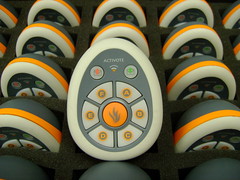
I have had eight hours of training with the teachers to use the Activboards. There will be six in the school this year. Previously only the computer lab had a board. The training went exceedingly well. 


I found a great training resource online for Windows. I updated the Creative Commons licensed flipcharts for the Mac operating system. I put many links for ActivInspire on this Google Site. The specific Mac training flipcharts are on this page.


We have only worked on the first five training flipcharts. It gives the teachers enough material to feel comfortable with the board. We learned how to navigate the Download and My Flipchart folders on the dock. The teachers signed up for Promethean Planet accounts and learned how to open old .flp and new .flipchart files and save them. This led to an interesting discussion about File Save vs. File Save As. 


As part of the training, I was requested to create some screencasts. As a result, I decided to get a one year subscription to Jing Pro. 


Jing Pro
I have used Jing's free version. It works well. The downside is that the files are saved in Flash format. With the pro version, I can save the files (without ads) to the MPEG-4 .m4v
format. This is so useful. I was able to create three little screencasts and stitch them into a longer movie in iMovie. Feel free to use these screencasts:


Finding a Flipchart on Promethean Planet
Mac Folders
Playing Back a Vimeo Video in a Larger Size
Opening, Reviewing, and Saving a Flipchart


K12 Online Conference 2010
I submitted a proposal to the K12 Online Conference for 2010. The topic is Free Learning and Inspiration Online. It is based on the session I led at New Teachers Camp (ntcamp) in July. Hopefully it will be accepted.


Global Education Conference 2010
I am on the Educator Advisory Core Group for the new for 2010 Global Education Conference. It is scheduled for November 15-19 and will run around the clock. It is intended to get more educators comfortable with global collaborations. I will be writing more as a I learn about the conference. There is currently a call for proposals for sessions to run in Elluminate. If you've been participating in global online projects, consider offering a session. The timing for the sessions is 20 to 60 minutes including discussion/ Q&A time among the participants. There is an intent to get mentor partnerships established to help new teachers gain a comfort with global collaborations.


EdCamp NYC
I am a co-organizer for EdCamp NYC. It will be on Saturday, December 4th at The School at Columbia University in New York City. I've spent the summer working on the website for the group. If you are in the NY, NJ, PA, CT area, consider stopping by the website to request your free ticket to the event. It promises to be outstanding based on my experience with EdCamp Philly and ntcamp. Keep you eye out for more information as I get closer to December fourth.


Back in the Saddle Again
After a restful summer, I'm looking forward to the new school year ahead. Old projects and new projects with the students are at the top of my mind right now!


Photo Credits:
Ann Oro.

Saturday, May 1, 2010

The Interactive Whiteboard Revolution Book and Website

I am in the process of reading The Interactive Whiteboard Revolution by Chris Betcher and Mal Lee. As I've been reading, I'm recording my thoughts in a Google Doc. One of the chapters speaks to e-Teaching and three common phases teachers go through when adopting the use of an Interactive Whiteboard (IWB) in the classroom. I've saved all of my flip charts from the last two years and decided to find out how this has mapped to my use. I thought I'd share what I found out on my blog.

For Those Without an Interactive Whiteboard
It's worth mentioning that Promethean allows anyone to download their personal edition of the ActivInspire software. I believe you have to sign up for a free account at Promethean Planet. You can run the software on a computer using a projector or large monitor. The students can work the files with the compute mouse. It's good practice for the day and Interactive Whiteboard finally shows up in your school.

Phase One: Doing Old Things in Old Ways
The book suggests that most people start out by using the IWB in the same manner that they might a chalkboard. It surprised me to see how true this was in my case. I learned how to use the board on my own time and in my own way. I took tutorials at the Promethean Planet web site.

When I l
ook back at September 2008, I mostly created text box titles (in advance) and had students walk up to the board and write with the pen. As I looked through the files, the first two months look like PowerPoint presentations with fill in the blanks for the students. I had very limited use of the tools. The pointer, pencil, eraser, and colors were my top tools. The lessons were not interactive, but I used what I knew would work seamlessly with the students. As it was the first board in the school, everyone just wanted to touch the pen and the board. It made my lessons marginally more interactive since I do not have a blackboard or whiteboard that I can easily access with my students. This was the first time they could actually write down an answer for me in front of the whole class.

Phase Two: Doing Old Things, But in New Ways
I needed to see an IWB in action to get a better idea of what I could be aiming for in the classroom. In December 2008, I went to a conference at a local university and went to a session with Promethean representatives. I was the only one who showed up, so they dropped what they planned (ActivExpressions) and gave me some pointers. They showed me around Promethean Planet and how to use the paint bucket on text. This was a breakthrough idea for me. I have the students in second grade work on monsterproject.wikispaces.com that I run with Anna Baralt (@abaralt). I used the idea the next class to have the students find adjectives. It was something I could have done with Word and a highlighter tool, but it was a new way for my students and I.

We have a set of 32 ActiVotes that came with the board. It took me a long time to figure out how to register the ActiVotes. I received help via Promethean Planet and the conference. My first flip chart with the voting devices was January 2009. It was still an old thing in a new way. I wanted to talk with the third grade students about our state bird, the Eastern Goldfinch. It was a new lesson, but I wanted to try the ActiVotes. I couldn't yet figure out how to assign student names, but I created a number of lessons that gave the students in all grade levels various topics containing multiple choice questions and answers. It was a good way to talk and interact as a group. I had been using SurveyMonkey for this purpose, but this was more immediate and we didn't have to leave the discussion area in my room, go to the computer to fill out the form, and return to the discussion area. At this point, I didn't feel comfortable enough with my output to submit the lesson to Promethean Planet.

By the end of January of my first year with the board, I started trying out some ActivStudio gadgets. My eighth grade had created some movies. I used a spinner to select the order in which we would play the movies. It enabled me to test another feature of the software with the students. They enjoyed the spinner as an alternate method to select movies. I wasn't too happy with the spinner and tend to use the Interactive Fruit Machine.

I continued to build in new ways. I teach the third grade how to read a web page. We start with a book. I could have held up the book, or used a document camera (but I may not have known how to use the one we won yet). So, I scanned pages from a library book, put the images into the flip chart, and incorporated the voting devices into it. Even though I resized the image, the version on the board was readable. I used the pen to circle the location of the answers on the page after the vote. This lesson was from January 31, 2009. I can't upload an image because of copyright.

We were having an out of uniform day to raise funds for solar cookers.

In another attempt to explore using the board in new ways,
I found a video to engage the students in learning about Darfur. Again, the students used the ActiVotes to register their knowledge of solar cookers, where Darfur is located, and the content of the movie. I started saving the flip chart pages as images, brought them into PowerPoint, and uploaded the file to Slideshare. You can see them here. Since the class was on Saint Patrick's day, there are a number of images on the flip chart pages for the holiday. This lesson was from March 17, 2009.

I can see how I would find a new thing and use it a lot. The following week, I was trying out Discovery Streaming. Every year, I work on the book “Make Way for Ducklings”. I had found a Google Lit Trip about the book to use with Google Earth the year before. In this example, I embedded video and votes. This is from a week after the Darfur set.

I continued to use the ActiVotes quite a bit, but I started using them to have students evaluate choices instead of simply selecting a correct answer. I had them use the board for matching and evaluating pieces of information with the pen. There is still a good bit of use of the pen to write on the board. In this fourth grade Internet Safety lesson, I tried to reach a little more with the depth of the questions for the students. This is from April 24, 2009.

As I closed out the school year with the board, I was ready to spend the summer learning more on my own time. I had all my flip charts saved so they could be reused and modified the following year. I really never use exactly the same lesson year after year. With the flip chart, I can review the content, modify the ideas, and take them to a new level the following year. It is a time saver. Additionally, we used the board set up for Skype calls with other classes.

Phase Three: Doing New Things in New Ways
In the book, the third phase talks about teachers doing new things in new ways. I’m not entirely here, but I feel I’m starting to do things that I wouldn’t have been able to do with PowerPoint, a projector, and Skype. I’m working more with have students evaluate information. I am starting to share resources on Promethean Planet. I uploaded a duplicate by mistake, but I'm learning. The resources are on the United States site.

I have a hard time finding charts I really like for computer class. In November 2009, I found a symmetry lesson on Promethean Planet that I used with Kindergarten. This flip chart helped me to understand hidden objects and draggable objects. I had a hard time using ActivStudio to create hidden and draggable objects. I think it was around this time that I finally decided I had to learn ActivInspire because there were nice ActivTip movies that clearly described what I wanted to do.

I now have three flip charts shared on Promethean Planet. The first is State Research: Learning to Use Keywords in a Search Engine. It has had 14 downloads in eleven days (between the two files I uploaded). The second is Computer Terminology. It has had a whopping 46 downloads in nine days. The last is Digital Citizenship. It has had 14 downloads in nine day. The flip charts use draggable items, have locked items, have ActiVote opportunities, and page notes. They charts give third to fifth grade students the opportunity to evaluate information. I look forward to learning more with the ActivTips. The more I learn, the more I can create and share.

The Interactive Whiteboard Revolution
I've been conversing with Chris Betcher, one of the authors. He mentioned that there are teachers discussing the book at his Interactive Whiteboard Revolution ning. It is also mapped to http://iwbrevolution.com. I've been a member of the ning since before I had a board. I plan on spending more time there. I'm still reading the book, but I thought this would make a good general blog post.

Sunday, April 25, 2010

State Research: Learning to Use Keywords in a Search Engine

In third grade, the students complete a state research fact sheet. Usually, I take the students directly to a web page to work on the research. This year, I began laying the groundwork for successful search strategies.

My Resource on Promethean Planet
I've uploaded a set of flipchart pages to Promethean Planet. I was worried that teachers who do not have an ActivBoard would be excluded from using the resource. There are two ways you can use this file on your computer - even without a board.


First, you can download a personal edition of ActivInspire. Go to the Promethean Planet web site. Sign up for a free Promethean Planet account by clicking Register. Go to the download page.

Second, you can dowload the free flipchart viewer. I am not sure if this is just for old ActivPrimary and ActivStudio files or the old flipcharts and the new ActivInspire charts.

Once you have an account, you can download my resource file.

Working Through Search Engine Concepts
First, I introduced the students to the facts that they would be finding on the worksheet. We used the state of New Jersey as the example. Some students already knew the state capital. Most know the state bird after our work earlier in the year.


Next, I asked them how a third grade student could learn the details about their state such as the land area or three largest cities. The students knew they could look in a book or go to the Internet. Page two of the flipchart allows the students to drag those hidden images from behind a U.S. flag.

With that information in mind, students took turns dragging six search engine names from behind an image of a computer. The list includes Google, Bing, Ask Kids, Yahoo Kids, Fact Monster, and Kids Click! As each image was dragged from behind the computer, I had the students who have used that web site stand up. Getting students moving during a lesson is always helpful. It's an easy way to build some movement into a lesson.

Part of the lesson is learning about key words. Before starting to get this idea across, I wanted the students to focus on how they use a search engine. I have noticed over the years that some students tend to type in questions or long sentences. The fourth slide shows the
question: What is the population of Iowa? We used the ActiVotes to find out how many students type a whole sentences, short words, or sometimes both.

With that information in mind, we begin discussing key words that could be used to find the information on a search engine. I kept reminding the students of the individual items they needed to find and the state name. For example, "Remember we are looking for the population, land area, three largest cities, governor, and state flower of New Jersey." Once we had many keywords listed, I pointed out that they would have to complete the search nine times to find out all the details. If their teacher gave them two states, it would take about 18 searches.

On flipchart page six, I asked the student if they thought the words state research would be helpful keywords. They used the ActiVotes to agree or disagree.

We looked at some top results for the key words. We found that there are several web si
tes that would allow us to type in a state name and locate many facts.

But I Don't Have ActiVotes...
I think the ActiVotes are a great way to involve the students in a lesson. If you do not have them, there are a number of ways you can have the students respond. You could give them a red, yellow, and blue index card to represent A, B, and C. You could use dry erase boards. There are a number of options electronically including PollEverywhere with a web link.

Resources I've Located

The students are going to have a choice of six web sites to complete the research. I think the Fact Monster web page will be the quickest for my students, based on what their teacher wants the students to learn. As I was setting up the ActivInspire flipchart lesson, I came across a few other sites that looked interesting. These include Stately Knowledge, State Facts for Students via the US Census Bureau, Enchanted Learning's State Page, and 50 States.


Friday, December 11, 2009

Lessons Learned - Evening Skype Call

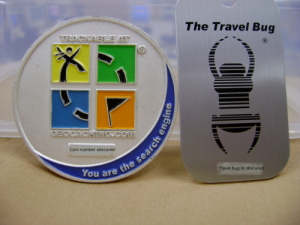
We had a great Skype call Wednesday evening. About half of my seventh grade students returned to the school at 6:30pm to speak to a combined first and second grade class in Australia. We are going to try to send a geocoin from New Jersey, USA to Victoria, Australia via geocaches.

Lessons Learned - Ideas to Keep
I sent a permission slip home the Friday b
efore our Wednesday evening call. I asked that the form be returned Monday morning. The form gave all the particulars about the call: who we were talking with, why we were calling, where we were meeting, when we were meeting, how to get in touch with me. I requested the student's name, the name of the person dropping the student off and picking the student up, and a contact phone number for that person.

When school was finished for the day, I made sure I placed all t
he items required for the Skype call right at my desk. This included a working Ethernet cable, headset microphone, digital still camera, digital video camera, cart with projector and speakers, the geocache box, the geocoin we would be sending, and the permission forms.

I arrived at the school about 20 minutes before the students. I turned on, connected, and tested all the equipment, set up the Promethean board with some pre-work, had a printout of questions with answers that were discussed in class earlier that day, set the video camera on a tripod and checked that it would record, placed freshly charged batteries in the two cameras, and set the chairs in a semi-circle in the room.


Five minutes before students were to arrive, I went to the meeting place which was the outside door closest to the room and began greeting students. The first students to arrive were told to go to the room and answer the questions on the Promethean board.

When approximately half of the expected students arrived, I we
nt back to my room and gave one student the task of reading the "script" for the call. I asked them to decide who would be responsible for each question during the call. One student chose to run the video camera to record the pre-meeting. I returned to the back door, greeted the remaining students and explained what was already happening in the room.


Ten Minutes Before the Call
I checked with the students to get agreement on who was responsible for each question on the script. I asked if there were any students who did not want to speak. I found out who was using Skype at home and gave a rundown of the Skype program to the rest of the students in the room.

There was an excited buzz in the air. One student asked what would happen if the othe class forgot. I assured the students that the teacher and I communicated via email earlier in the day and we were both ready!

The Call
The students had a great time asking questions, getting answers, and answering questions from the first and second grade students. We showed them the geocoin.

I think a Skype call is a huge step in forging a relationship and interest in an electronic project. The students become "real" to each other.

The call lasted about forty minutes.

Lessons Learned - Ideas to Improve Upon
At the end of the call, there was still time available before parents would return to pick up their children. I asked the students to help me learn what was good about the call and what was bad or needed to be improved.

They were all excited and felt it was a great reason to return to school at the end of the day. They want to do it again.

The first major improvement I learned was that I need to electronically post the details for the evening in the event of lost forms. One student went to my Schoolnotes page and was disappointed that I did not have times and locations listed for the call. This makes so much sense. I don't know why I didn't think of it myself. I'm always misplacing school forms at home for my sons.

The second major improvement is that I placed a sign on the back door to call up to the open window in my room to be let into the building. The student wasn't sure which window was mine. We decided I should hang a banner out the window so it was easy to find. They all agreed that it was hard to tell which room was which from the outside.

It was a great experience. Now to find out how long it will really take that coin to travel over 10,000 miles!

Friday, November 13, 2009

That Was Then and This Is Now

It is time for the Daughters of the American Revolution (DAR) essay contest. This makes it the perfect time to review Internet search strategies. As I was preparing, I took a look at a presentation I worked on about three and a half years ago. The changes in how I present and how the students interact with the information has changed for the better - I think.

The 2009 Version


Although I loaded the screens up to Slideshare, these are JPG exports from the Promethean board.

Slide 1
I started with an image and a quote. It got their attention. The sixth grade, overall, felt like this was a false statement. Most students felt that books were easier to use when finding information. They felt that they often could not find what they were looking for when they used a search engine.

Slide 2
I wanted them to be taken off guard with regards to purpose. I found an image and cut the baseball bat out. They volunteered some purposes for the bat - from hitting a home run to hitting aliens in a video game.

Slide 3
We talked about seeing something out of context and how the big picture changes your opinion.

Slide 4
I had a screen shot of a Google search result for the words transcontinental railroad irish. The DAR essay is "The Completion of the First Transcontinental Railroad". I only wanted the first five entries.

We worked on figuring out Google's results based on what was typed in the search box. You can see from the different colors on the screen what the students were focusing on. We flipped back to this slide a few times as we built the concept.

Slide 5
We looked at the image and I talked about the fact that there could be 12 people outside the hotel room door, but they are out of view. When we flipped back to slide 4, we found there were over 45,000 search results, but we were only looking at the first five. What if entry number 20,000 had just what we needed? How could we find it easier?

Slide 6
I explained that over the next few Fridays, I will share tips and give them time to practice searching. Today's tip was going to focus on the website URL. We flipped back to slide four. I pointed out the URL and we talked about the three parts of the web address. Many start www. It is followed by a word of some sort. It ends with an extension. Sometimes they are three letters, sometimes two.

Slide 7
When I put up slide seven, it initially only had the magenta letters. The students took turns volunteering their knowlege. Sometimes it took a few students to build the whole answer, e.g., .EDU.

Forty-two Minutes Passes Quickly
I just got to slide eight when the bell was ringing. Next week, they are going to go on to their computers and try a Google and Altavista search for transcontinental railroad irish. The will report on the first five results. For each entry, they will list the link title, what they can tell about the website from the domain name, and they will look at the page and try to determine if the information would be helpful in their DAR research.

The will then search for their specific topic for the DAR essay to look for a detail they could use in their paper. Write the search engine name they use (Google, Altavista, something else) AND the keywords they searched for.

The following week, we will take their search queries and analyze what they are requesting from the search engine based on what they typed as a query. It should be interesting. I'm generating some ideas to get that accomplished.

As a Comparison
Here is the same basic information I provided to my older son's class three and a half years ago. I know I prefer what I did this year. Even if I didn't have a Promethean board, I still could have accomplished the same basic lesson.