Showing posts with label activote. Show all posts

Friday, June 18, 2010

Coin Practice in First and Second Grade

I recently had the opportunity to review AARTPACK Interactive's First Grade Interactive Curriculum. The interactive web pages are very nice. One of the ideas led me to explore the concept of coins in a way I never had before.


Why Purchase?
I am lucky in that I have an extensive computer background. I started out taking computer programming classes in college including BASIC, COBOL, FORTRAN, and even helped other students troubleshoot assembly language (without having taken a course it in!). In business, I created multimedia projects using templates created by a consultant in Authorware. I used PageMaker in its infancy and Gimp. So I understand the idea of layers, locking items, and labeling items to make files easier to understand by others. In all, I have a deep comfort level with creating and manipulating objects on a computer. 

I know that many teachers do not have the time and interest to do so. Another reason to make a purchase is that the activities just work. There is something to be said for giving teachers new to technologies activities that work without fail. These activities are clean, teach to an objective, and work. Creating your own project or downloading a pre-made lesson from Promethean Planet requires the teacher to have a certain comfort level with taking detours to fix or modify a flipchart. There is an amazing opportunity for growth in that process. AARTPACK can give the teachers a base of comfort to work from. They can then expand into downloaded flipcharts and finally creating their own in ActivInspire.

I will show the AARTPACK Interactive content to the teachers in my building to see if they would have an interest in asking the school to purchase the content when they end up with an interactive whiteboard in the classroom. Right now only first grade content is available with other grade levels to follow in July 2010.


A Challenge To Myself
I am working hard to learn to use ActivInspire to create my own flipcharts. I took a coin example from AARTPACK and created a version of my own in ActivInspire. As I began writing this blog post, I was concerned that I would be overstepping my terms of agreement for previewing the AARTPACK for grade one. Luckily, I am in contact with @aartpack and via a quick email conversation feel comfortable with sharing my journey through ActivInspire. I have uploaded my vision of what I liked about the AARTPACK pages to Promethean Planet.


The First Pages in the Set
I knew that I wanted to have a variety of examples for the students to try on their own, so the first thing I did was to create some static pages of coins. It was simple to search the ActivInspire resources to find images of the front and back of pennies, nickels, dimes, and quarters. It was odd to see the coins outlined in a magenta color. I had to click on the coin, open the Miscellaneous tab and change the Transparent option to True.


I typed a cent sign (¢) on the page and included a star with the word Answer. The child can use the pen to write the answer, then the arrow to click on the star to reveal the actual answer. The chart could be used as a learning center for students and they could check their work independently.


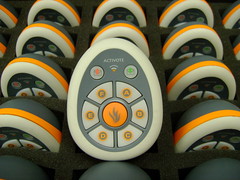
In the lesson every child had a chance to do one of these types of problems. I used the ActiVotes with the lesson. As the student wrote the answer on the board, the rest voted A for I think the answer is correct or B for I think it is a different answer.


The Last Page in the Set
As with the AARTPACK Interactive page, the last page allowed students to drag a copy of coins on to the page. The students all had a chance to create a problem. Child one dragged three coins on the screen (the same, different, or a mixture). Child two answered the problem and cleared the screen to create the next one.


KidPix Activity Follow-Up
The following week, the first grade students returned to computer class and I had set up a KidPix page with coins. It might be too hard for first graders at the beginning of the year, but most of my students have been using Kid Pix for two years and it worked well as this is the end of their second year of computer class with me.


I had the students work in pairs. I taught them how to use the grabber hand with the scissors to drag around a coin. Next they learned to click the smile face to copy the highlighted coin and the bottle of glue to paste it. They dragged the copy to the top of the page. The partner then copied and pasted a plus sign. They took turns until they had a problem with three coins, two plus signs, and an equal sign. The child dragging the coins added them either mentally or with a pad of paper and pencil in the basket next to the computer and wrote the answer with the pencil. The child dragging the plus and equal signs verified the answer. Afterward, they switched jobs. 


They seemed to enjoy the work and worked pretty independently. I was able to keep up with the questions generated by eight pairs of workers.


Repeating the Activity in Second and Third
The activity worked so well. I did it again in second and third grade making it harder at each level. In the second grade, each student created the KidPix coins and symbols on their own. When they had three coins and symbols on the screen, they stood up at their chair. I rotated the students one computer to the left and they sat down and wrote how much change was on the screen. After they answered the problem, they stood up and I rotated them again. They chose a different color, added up the new set of coins and either wrote the same answer if they agreed or a different answer if they came up with a different total. After they answered the problem, they stood up and I rotated the students again. This time, after they chose a new color, they circled the correct answer(s) or wrote what they thought the amount was on the screen. I went around the room, verified the answers, and sent everyone back to their original seat.

In the third grade, I simply had them place four (instead of three) coins on the screen.

A New Project in the Rotation
I was really happy with the entire process overall and wanted to document it to remember it for next year. I posted the Kid Pix template on my wiki if you want to download it. I will post some samples of the work there soon.

Sunday, April 25, 2010

State Research: Learning to Use Keywords in a Search Engine

In third grade, the students complete a state research fact sheet. Usually, I take the students directly to a web page to work on the research. This year, I began laying the groundwork for successful search strategies.

My Resource on Promethean Planet
I've uploaded a set of flipchart pages to Promethean Planet. I was worried that teachers who do not have an ActivBoard would be excluded from using the resource. There are two ways you can use this file on your computer - even without a board.


First, you can download a personal edition of ActivInspire. Go to the Promethean Planet web site. Sign up for a free Promethean Planet account by clicking Register. Go to the download page.

Second, you can dowload the free flipchart viewer. I am not sure if this is just for old ActivPrimary and ActivStudio files or the old flipcharts and the new ActivInspire charts.

Once you have an account, you can download my resource file.

Working Through Search Engine Concepts
First, I introduced the students to the facts that they would be finding on the worksheet. We used the state of New Jersey as the example. Some students already knew the state capital. Most know the state bird after our work earlier in the year.


Next, I asked them how a third grade student could learn the details about their state such as the land area or three largest cities. The students knew they could look in a book or go to the Internet. Page two of the flipchart allows the students to drag those hidden images from behind a U.S. flag.

With that information in mind, students took turns dragging six search engine names from behind an image of a computer. The list includes Google, Bing, Ask Kids, Yahoo Kids, Fact Monster, and Kids Click! As each image was dragged from behind the computer, I had the students who have used that web site stand up. Getting students moving during a lesson is always helpful. It's an easy way to build some movement into a lesson.

Part of the lesson is learning about key words. Before starting to get this idea across, I wanted the students to focus on how they use a search engine. I have noticed over the years that some students tend to type in questions or long sentences. The fourth slide shows the
question: What is the population of Iowa? We used the ActiVotes to find out how many students type a whole sentences, short words, or sometimes both.

With that information in mind, we begin discussing key words that could be used to find the information on a search engine. I kept reminding the students of the individual items they needed to find and the state name. For example, "Remember we are looking for the population, land area, three largest cities, governor, and state flower of New Jersey." Once we had many keywords listed, I pointed out that they would have to complete the search nine times to find out all the details. If their teacher gave them two states, it would take about 18 searches.

On flipchart page six, I asked the student if they thought the words state research would be helpful keywords. They used the ActiVotes to agree or disagree.

We looked at some top results for the key words. We found that there are several web si
tes that would allow us to type in a state name and locate many facts.

But I Don't Have ActiVotes...
I think the ActiVotes are a great way to involve the students in a lesson. If you do not have them, there are a number of ways you can have the students respond. You could give them a red, yellow, and blue index card to represent A, B, and C. You could use dry erase boards. There are a number of options electronically including PollEverywhere with a web link.

Resources I've Located

The students are going to have a choice of six web sites to complete the research. I think the Fact Monster web page will be the quickest for my students, based on what their teacher wants the students to learn. As I was setting up the ActivInspire flipchart lesson, I came across a few other sites that looked interesting. These include Stately Knowledge, State Facts for Students via the US Census Bureau, Enchanted Learning's State Page, and 50 States.


Wednesday, March 24, 2010

A Different Way to Review Concepts

"Can we do that again?" is music to my ears. I have been reviewing some concepts of communication and collaboration with the sixth through eighth grade students. I put the concepts together in a voting format and offered Krabby Patties to the winners. Everyone was engaged and excited to the last question.

The Concepts

The students (through various grade level projects) have worked on wikis, seen or worked on blogs, created podcasts, and used a chat room. They have participated with students in classrooms around the world both synchronously (real time) and asynchronously (with a delay). We have used a range of tools from word processors, spreadsheets, and presentation to graphics and multimedia. They use the products well, but I wanted to see what terminology was sticking with the students. It gave us an opportunity to discuss misconceptions.

The Methodology
I created an ActivInspire flipchart to use with ou
r Activotes. I set up a "class" called Groupings. The students sat in groups of three and passed the Activote between them as they worked together to select the best answer. If I didn't have the Activotes, I could see using Poll Everywhere with the poll4.com website. It would still work well. Instead of ActivInspire, I would use PowerPoint.

I created a spreadsheet to keep track of which group had correct answers. As each question was presented and voted on, I hid the ActivInspire screen and typed a 1 or 0 for the correct and incorrect responses.

After 15 questions, the winner(s) were declared and they took a Krabby Patty candy. In four of the five classes, there was one winner. In one class, there was a three way tie so the fourth team got a packet of conversation hearts to split.

We Will Do It Again
The eighth grade class, in for the second time this week, wanted to have another competition today. I had to tell them that I would put together a new set of questions for after our Easter break. This is going to become my new standard for what can be dry, information reviews of concepts. It's a win for everyone.

Wednesday, April 1, 2009

First Grade Reptiles Lesson

I used to feel uneasy when I had to have a larger than usual class in K-3. With my new tools, I look forward to these times. It gives me an opportunity to learn how to integrate the Activboard, Activotes, and Discovery Streaming into the school day. I hope that someday I have more Activboards in the school and want practical, first-hand knowledge of what can be done.

Book Fair Schedule Change
I had the entire first grade in the computer lab today. They will be going to the book fair tomorrow. Usually half of the first grade is in my lab while the other half goes to the library. The next day, the students switch and I have the half who went to the library.

What To Do?
I started by browsing Promethean Planet. I was specifically looking for a lesson designed for K-2 with Activotes. I downloaded a few lessons, but the one that caught my eye was called Discover Reptiles by Nicole Glover of Kentucky. It got my attention because I was certain that I could find a complementary video on Discovery Streaming. Reptiles are fascinating creatures. I headed over to Discovery Streaming and was not disappointed.

Discovery Streaming Reptile Choices
There were a tremendous number of choices. As you can see from the image on the right, there were 44 video clips just in the K-2 grade range. I previewed about five.

The first video that fit my need was Animal Groups: Beginning Classification (copyright 2000). I liked it because it talked about all the vocabulary in the Activstudio flip chart: turtles, lizards, crocodiles, snakes, vertebrates, scales, cold-blooded. It was a one minute 54 second clip.

The second video I chose was The Jeff Corwin Experience: Wild Animals in the City (copyright 2005). In one segment in New York, they show how a snake was left behind in an apartment and had to be collected by the animal control department. It was a ten minute clip, but we only watched the first few minutes.

Running the Class
When the students arrived, they sat in a horseshoe around the Activboard. I reviewed the Activote and explained that everyone would have at least two turns working on the board. We would write, erase, or move things on the board. I modified the original flip chart. Several slides were changed from "reveal" type items to Activote questions.

This was the second time they used the Activotes, so I made the first few questions very easy. I focused on having the students click A, B, C, D, or E to identify the snake, crocodile, turtle, lizard, and iguana. Next, the students slide vocabulary to where they thought it belonged in different sentences. They must have worked on the concept of reptiles. They were aware of the concept that reptiles are cold-blooded animals. Afterward, students erased a block to reveal the actual answer.

Next, we watched the first video and filled in the blanks about different animals on the board. Other students clicked to reveal the answer and compare it to what was written by the previous student. Before moving on to the Jeff Corwin video, I needed to review some vocabulary: rural, urban, and suburban. Those words all came up in the clip. We used the Activote to determine if the students felt we were from a farming (rural) or big city (urban) area. I talked about the word suburb and how it applied to our area. I asked who had traveled to New York and Miami.

Finally, nearing the end of our 42 minutes together, we watched the snake being bagged in the New York apartment.

Looking Forward to Opportunities
I am looking forward to more opportunities to gather the students around the Activboard and use the Activotes and Discovery Streaming. It is a great combination of products. My hope is that I will eventually have more classrooms with boards and I will have a personal understanding of what can be accomplished with students. I know the children had a fun learning experience.

Sunday, March 15, 2009

Where Does the Money Go


Our school collects mission money. During the year, we also have out of uniform days. A short time ago, I came across a post by Erica Hartman called Be The Change in Darfur. In the post, Erica links to New Jersey Coalition Responds to Darfur. It turns out that one of the coalition members is none other than the Roman Catholic Archdiocese of Newark - our very own archdiocese.

Make It More Meaningful
The student government decided to make the Saint Patrick's Day an out of uniform day for this cause. Each student that chooses to dress down donates one dollar. My eighth grade son's teacher asked if anyone knew anything about the cause. Someone more or less said, "Who cares as long as we get a dress down day". I decided it was time to step up to the plate and create a short lesson during computer class. Out came the tools of the trade: Activstudio, Activotes, online searches, and a slide set to share.

What I Found
I want to use the same presentation for Kindergarten through eighth grade. I found a great video at the Jewish World Watch website. Unfortunately I did not want to bring up the word rape. I just wanted to leave it at violence. I found the video on YouTube, downloaded it with Zamzar, brought it into iMovie and made a couple of little edits.

I am starting with a KWL chart for all grades. I will probably fill it in for the youngest students. I'll have to see how it goes. I've interwoven questions to find out what the students know about where Darfur is and what experience they have with collecting firewood. This will bring us into the video.

Bringing It Back Home
Finally, I want to provide the students with a feel for how they are making a change for the better in the world. We will briefly review approximately how many families are at the refugee camp, how much the cookers cost, and how much the violence has gone down as a result of these efforts.

I think it's important to make a strong connection in the student's minds about what is actually happening with their dollar. I wish I had a better understanding of all the other work our student's money does with the mission money collections.

Tuesday, March 3, 2009

Activboard Quick Activity

During Terra Nova test days, the morning is dedicated to administering the test and the afternoon has abbreviated rotations of specials. Since I teach computer class, I am in the afternoon rotation with thirty minute class periods.

What To Do - Grade 4-8
I really didn't want the students to have an open choice of program and I really want to give them a break after tests all morning. I decided to turn to my Activboard and Activotes. I want the students engaged. I was looking for a fun project and decided to go to the Lesson section on Promethean Planet.

I found an illusions flip chart called Tricks of the Eye by Lisa Dubemar. It has an interesting set of optical illusions. Some I had seen, some are new to me. She had a nice opening exercise with pennies, cups, and partners, but I skipped to the illusions and added some more of my own from the NIEHS Kid Page. NIEHS stands for the National Institute of Environmental Health Sciences.

How Did It Go?
I had 4th, 6th, and 8th grade students. They were all engaged in the examples, voting for their choice, and seeing how they compared with the students sitting nearby. The half hour few by. I arranged the room in a horseshoe of chairs around the Activboard.

This could really be accomplished with a PowerPoint or Keynote set of slides containing the images. Students could have white paper and pens to hold up their answers or could answer via SurveyMonkey or Poll Everywhere.

Potential Updates to the Questions
Instead of having an A and B choice, the students seemed to want and A, B, Both, or I Can't Tell set of options. I just told them to press C if they saw both images, or D if they couldn't see either.

Overall I was really happy with this little filler lesson and so were the students. Not a complaint was heard in the room.

Here are the slides I used with the students. The images are from the NIEHS Kids Page. As always, I struggle with using images. I believe these are fine to post under Fair Use guidelines. If the owner feels they need to be removed, please let me know and I will happily do so.


Image Citation:
"optical illusion - pulsing vortex." ClintJCL's photostream. 2006 Oct 20. 2009 Mar 3.
http://www.flickr.com/photos/clintjcl/274762242/

Saturday, February 28, 2009

Make Way For Ducklings - A Year Later

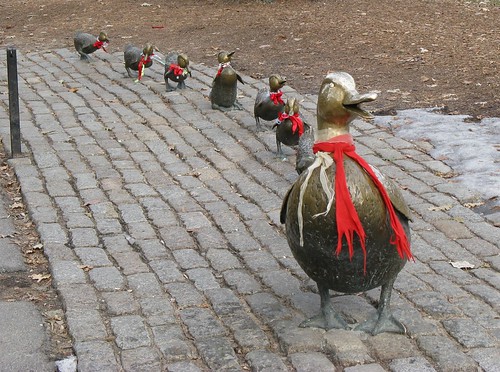
What a difference a year makes! Last year, I found a Make Way for Ducklings Google Earth Tour at the Google Lit Trips web site. I used it with the first grade students during our modified class schedule during Terra Nova testing week. I've given the lesson an upgrade.

New Year/ New Tools
This year, I have an Activboard, Activotes, and Discovery Streaming thanks to the CDWG/ Discovery Win a Wireless Lab sweepstakes. Enter NOW! Go ahead, I'll wait. You can enter once per day from January 3 to May 1, 2009.

I decided that for our modified schedule, I'll like to find something interactive for all the grades. I'm going to try this lesson with Kindergarten to third grade. Since I couldn't find anything at Promethean Planet, I decided to write my own flip chart. It's a great experience. I have one photo that I am waiting to receive permission to use and then I'll upload these charts as a resource.

Discovery Streaming
I signed on to Discovery Streaming and typed Make Way for Ducklings. I was happily surprised to find a 1969 movie version of the book. This is going to be a big improvement on last year's class when I had a student hold the book while I read from a copy.

As are most streaming clips, this eleven minute movie is broken into four smaller segments. I downloaded them to the hard drive. I don't want to have buffering issues and I don't want to have a failed lesson because the Internet is unavailable as it was after a wind storm a few weeks ago.

Activstudio/ Activotes
Next, I wanted to build a set of Activote questions that would lead us into the story, the movie clips, and the Google Earth tour. I've exported the flip charts into PowerPoint slides which I've placed on Slideshare. I'll link to the flip charts on Promethean Planet when I place them there.

I have questions asking about the use of Google Earth at home, the Caldecott symbol on the cover of the book, and which part of the Earth the students believe they would find Boston.

I have slides to introduce each video clip. Those slides are followed by a few comprehension questions about the story, and then a slide to transition to Google Earth.

Part 1 of the presentation:


Part 2 of the presentation:


To Be Presented
I will be working with these flip charts next week. I only have 30 minutes with the students. Some of the students have not used the Activotes yet. As I have more insight into how the project idea works, I'll report it back on this blog.


Image Citation:
"Make Way for Ducklings." Mr. Ducke's photostream. 2008 Jan 6. 2009 Feb 28.
http://farm3.static.flickr.com/2363/2173283522_657b7ac45a.jpg?v=0

Sunday, February 1, 2009

Winter Wonderland and Third Grade Research

Back in December, Kevin Jarrett over at Welcome to NCS-Tech! wrote a post about research skills called On searching, web literacy, and the ubiquitous "animal report". I've been giving that topic thought since becoming a teacher seven years ago.

Personal Experience
My two sons are no better and no worse than the average student at our school in their research skills. We've given them a lot of attention at home to try and help them learn what they do not seem to understand from thei
r classroom lessons. In the computer class, we have completed mini projects and learned various search skills. I have come to the same conclusion as Kevin, online search skills really must be follow book based skills. I hope I paraphrased you correctly, Kevin.

Winter Wonderland January Project
I have had some trouble getting the January Winter Wonderland project off the ground in Kindergarten and first grade. I wasn't able to find a project I wanted to use
with Kindergarten and the first grade is working on Dance Mat Typing. I've really been working hard with the third grade, although it wouldn't be apparent from my student's wiki page.

The Penguin Glyph
I really liked the Penguin Glyph project. Amber Coggin put the files together. They are under the January heading on the activities page. We start using PowerPoint in the fourth grade. For the third grade, this glyph is a gr
eat introduction to the PowerPoint screen and the idea of glyphs in general. Her PDF file explains what the various colors represent (such as orange feet would mean a boy created the penguin).

I wanted to do more and I thought this would work well as a research project as a group activity over several classes. The big question was: How?

The Big Six

I did some research on teaching basic skills and came up with several Big Six resources. I found that for younger students they call it the Super Three. One of the most obvious points is to come up with a focused question to ask the students. I decided something simple would be to ask: How is a penguin different and similar to our state bird. We've been picking at the question a little every week.

First Focus: The Eastern Goldfinch
Our state bird is the Eastern Goldfinch. I found a n
ice printable sheet on the American Goldfinch on the Little Explorer's website. Before giving the student's the sheet, I asked some questions using the Promethean Activotes.


Without prior discussion: 1 child clicked A) Emperor Penguin, 6 children clicked B) Eastern Goldfinch, and 3 children clicked E) American Robin.


Two children chose B) Hair and eight children chose F) Tails.


Three children chose A) Seeds and seven children chose B) Nectar. We had an interesting discussion about what type of birds eat nectar and what type of beak shape they require.


One student chose A) in pine trees, two students chose B) in weedy grasslands, 1 child chose C) in a building, 4 students chose D) at the edge of a pond, and one student clicked E by mistake.


This question also prompted some interesting size discussions as one child chose A) four inches, one child chose B) twelve inches, 2 children chose C) four feet, and six children selected D) one-half inch.

Drawing in Kid Pix
Armed with these images and the discussion, I gave the students a printout from Enchanted Learning. It has a black and white outline of the American Goldfinch. I asked the students to do their best job to sketch the bird in Kid Pix. I projected some photographs on the screen from Flickr so the students could try to match the bird's coloring. The student's images are really turning out quite well.

Next Steps
In an upcoming post, I will talk about how we practiced reading for information while integrating the Activotes. We will also be using the Activotes to look at scanned images from a book about penguins and read to find information.

These are some good first steps to leading my students to find information in print in the third grade. Your thoughts and insights are welcome to help me extend the lesson.

Friday, January 9, 2009

You'll Never Know If You Don't Ask


The direction of teacher training changed course this week as I managed to get our Promethean Activotes to work on Wednesday.

Ideas for the Tablet PC
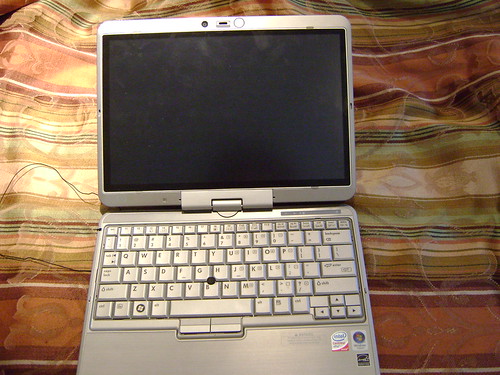
The staff meeting topic was our new tablet PCs. They have been getting good use since they were brought upstairs and programmed to recognize the three Linksys routers. One of the teachers hasn't gotten around to logging the cart into the Google form yet, but we're working on her.

My original plan was to talk about Voicethread back in Decem
ber. My son got sick and I had to cancel that session. I was going to just give the class as planned from December. When I figured out how to use the Activotes, a new plan was hatched.

I turned the Activstudio flipchart with survey results into a slide show, if you want to flip through.

2009 Jan9 Teacher
View SlideShare presentation or Upload your own.


Modeling the Activotes
I decided to lead the teachers through the presentation by providing questions and reviewing the answers. The teachers seemed interested in the Activotes. They immediately began asking if the Activboard was required. I loaded the Activstudio software on all the tablet PCs and got them working while at home last week. So, I was happy to share that anyone will be able to learn to use the software to create questions and bring the Activotes in to a class with a projector.

I Learned Some Teachers Are Independent Learners

Three of the eighteen teachers have gone to look at the Discovery streaming since it was introduced to them in October. They have not chosen to use it with students yet, but I think that will change. I will be have the lab open after school to give guidance and quick answers. Three of the eighteen teachers in the room have gone to look at the website on their own. Once Catholic Schools Week is over at the end of January, I will have an open lab day to allow those who want a little support to explore the site.

I Learned Tuesday is a Good Day for Training
My first activote question asked what was the best day for training outside of school hours. One third of the teachers responded with Tuesday as a best day. Wednesday and Saturday are the least favored days to get together.

Showcasing Teacher's Work #1

I didn't want to talk through the entire 45 minutes. I did want hands on time, but we did not end up opening up the tablets. I was happy to have the Activotes to have everyone interact with the presentation at least every five minutes or so. I found out that 17 out of 18 teachers remembered the word wiki from our June training session.

I wanted to show off a teacher's wiki. She worked hard to have her second grade students write letters to service men and women. We have a teacher in the building with a son in Iraq, so it was easy to find a direct contact. As we talked about what she was doing with the students, I asked her if she would like to have the students record themselves rea
ding the letters.

I offered to scan the letters and have the students come to the computer lab one at a time to record their letters. I put all the digital media (sound and scanned images) on a CD. She estimates that it took an hour to learn how to use Wikispaces with me to create pages, links, and add the media. She finished the wiki at home.

I asked her to share the difficulties, but she said it was pretty easy once she understood the pattern. The next time, I'm going to teach her how to scan and create the CD.

Showcasing Teacher's Work #2
The next question on my flipchart was poorly designed, but it was: Have you tried the new tablet PCs with a class. The answers were: Yes, No, I'm planning on it, or I don't intend to. I should have just had three choices because seven people said "no", but I don't know if they are planning on it or don't intend to use them.

I asked the four teachers what difficulties they encountered bringing the tablets into class and what they tried with the students. Overall, they felt that it was a good experience. They discussed ways to make it work well in the classroom, and chatted a bit about the experience.

Video in the Classroom
I concluded the session by polling the teachers about their knowledge of how many digital video and still cameras we had in the school. Thanks to purchases over the years and the CDWG/ Discover Win a Wireless Lab promotion we have two Sony digital video cameras and a total of five digital still cameras.

DO IT NOW ... Click here submit your entry! The contest runs from January 2 to May 1, 2009. I only wish we could enter again. They were so easy to work with and the prize is amazing!

I wanted to showcase a few reasons why you might want to use video in the classroom. My first example was the use of the video camera to record students presenting their PowerPoint presentations. I will have the students view their video and learn what they look like and sound like when they present in front of the class. Some questions they will reflect upon are: voice level, how they face the audience, how they hold their notes as they speak, the use of filler words (um, uh, like), and other questions. I will eventually post my sixth grade son's presentation.

The second example was the use of the webcam to create newscasts of the Gettysburg Address. I can't include the set of videos created by the eighth grade, but I will eventually get permission forms for the seventh grade students.

Closing Out the Session
I closed out the session with a teaser of Voicethread. We looked at the math threads I made with my sixth grade math students last year and a class from Canada. We took a look at an example for very young students. We ended with the What Can It Mean Voicethread from Silvia Tolisano in Florida.

Overall, it was more sit and get, but the next few sessions will be all hands on.