Showing posts with label iste. Show all posts

Sunday, July 31, 2011

New Teacher Camp 2011 (ntcamp)

I enjoyed the trip into Philadelphia for New Teacher Camp. One of the things I really like about ntcamp is the smaller size of the group of attendees. I met many new people today and enjoyed discussions with several folks in my online network. Gerald Aungst was a wonderful host. The event was held at WHYY Studios at Independence Mall. For a person who does not relish travel it was really easy to get to by car. I found a great $5 for the day parking garage a short walk from the station. It all got me in a great mental frame of mind arriving at the event.

Sessions I Attended
I chose to post sessions I would lead for later in the day since the schedule was fairly empty after lunch. I first met @Cybraryman1, Jerry Blumengarten,  at ntcamp in 2010, but we never really spoke. He reached out to me the day before, online, to share a resource I wanted for my presentation. I made sure to stop by, introduce myself, and chat a bit. I decided to sit in on his session, Expect the Unexpected. I had no idea what the session would be about, but I remember his energy from last year and knew I'd be happy I attended.


He led us through a series of photos documenting his time as a teacher and told stories about incidents in his teaching life and the stories of running into those students years later. My takeaway from the time with Jerry is that we will never really know the impact we may have had on children through specific lessons we teach until many years later. While I know this is true, it was a pleasure seeing it from his perspective as a retired teacher.


My second session was with Lyn Hilt, Make Your PLN Work For You - Get What You Need From Social Media. I have become familiar with Lyn's work via her work with Connected Principals and online interactions. It was great to listen to her. I tried to keep track of my notes as I listened in this Google Doc. While I've been building a Personal Learning Network for several years now, I am always eager to hear tips that I can pass on to others just starting out.


Lunch
For a travel adverse person, I was really happy that Gerald had offered lunch delivery for the day. I sat and enjoyed the company of several educators - some I only met today. It was very leisurely. I sat and chatted for over an hour, then I went to set up for the two sessions I posted on the board.


I had planned on using a protocol on the National School Reform Faculty web site called The Multiple Perspectives Protocol. If you haven't heard of the web site take a look. It is a set of methods that can be used to help lead discussions, review of text, and other tasks with groups of educators (and older students).


As I looked at the protocol the first step calls for asking the attendees to "define" themselves. I decided on a few categories that could be used to define people in both sessions and set up an Excel spreadsheet to keep track of the responses.


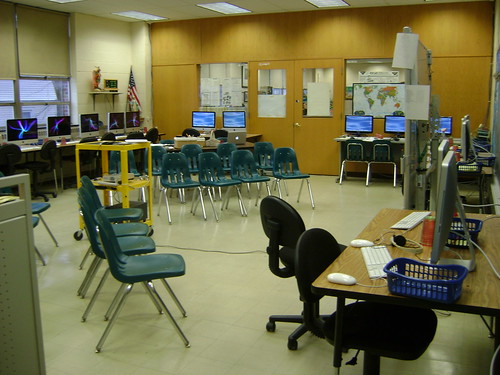
The room did not have a projector, but it had two dry erase boards. In addition to listing the categories on the board, I added the guiding questions I had thought of in advance as bullet points.


Primary and Elementary Collaborations
The first session I offered was titled Primary and Elementary Collaborations. My schedule was opposite the ever popular Web Smackdown, Lyn's Digital Storytelling, and Socrative - Visual Thinking. 


One wonderful attendee spent an hour with me. I had prepared this Google Doc as an electronic handout and outline. Since there was only one person I didn't use the protocol. It was a pleasure sharing ideas with someone just getting ready to do student teaching in a first grade classroom. I am happy she felt she got several useful ideas. This is the whole point of the unconference model.


Digital Citizenship and Education (ISTE NETS*T 4)
This session was really for me. I am very interested in how to present the concepts in the NETS for Teachers Digital Citizenship strand to teachers. I had three attendees. I explained that I wanted to try a protocol for the first time and asked that they'd be my guinea pig. I have to get back to everyone and get their take on what we did.


My categories for introducing ourselves were: grade Levels in the school, how much thought have they given in advance to this topic, and which of the four subcategories in the standard most interested them.


Next we got into the second part of the protocol in which the presenter chooses a question to focus the whole group. Unfortunately, we all had a different focus, so I asked everyone to take a couple of minutes and write down their thoughts and concerns in their area of interest.


Afterward, one person at a time shared their thoughts in having heard the points of view what they could share. 


I had prepared this Google Doc in advanced and tied the thoughts I had coming into the session after each person provided their concerns, questions, and insights. In some instances, ideas had come up that I hadn't considered and I added them to the document as we worked.


It was a very good hour for me...and I believe the attendees, too.


All's Well That Ends Well
I am so glad I took the time to travel down to New Teacher Camp today. Thanks to all three organizers!

----
Image Citation:
Ann Oro. http://farm7.static.flickr.com/6026/5993662469_9211540448.jpg Creative Commons Attribution-NonCommercial

Tuesday, March 15, 2011

Planning for the Third Trimester

As I enter the third trimester of classes, I like to reflect on what I've accomplished in each grade and what I want to make sure we accomplish by the end of May. This month, I am including my students in the review and planning.

Revisiting September
In September, I started classes by introducing the students in sixth through eighth grade to ISTE NETS for Students. I think it is essential to get the students thinking about the goals of their computer education and assist in evolving the program. I am trying this for the first time with my seventh grade students and hope to go through the process with the sixth and eighth graders. 

The first step was to review the ISTE NETS. I introduced our New Jersey State standards which are based on the ISTE standard. The students have existing work groups. Each group received a short list of projects that we've completed to date (see Project List below).

Small Group Work
The group is dividing the standards into three parts: state standards, first three NETS, second three NETS. A group leader goes through the project one part at a time. The students search and determine what goals they believe they met through the project. They are recording their selections with x's in a spreadsheet.

Individual Work
The individual portion of the work involves creating a personal reflection in a word processor. I am trying to review old skills and introduce some new skills. This provides a great vehicle for content. 

The students will create a "proper" heading with ONE tab set following the school's guidelines. They will indent their paragraphs using the hanging paragraph setting and the ruler. There will be one short paragraph per project. They will reflect on what they felt they learned through the project, what they liked, and what they did not like about the project. They will write a final paragraph telling me what type of project they would most like to work on next with a specific example and tell what standards we would be meeting through the project. The paragraph will be double-spaced with proper spacing between words and after punctuation marks. It is to be proofread for good spelling and grammar.

Whole Group Reflection
We will end the process with a group reflection on projects suggested by the students and choose at least one project to complete in the last trimester of school. I am hoping to find great value in the process and continue to do this every year.

Project List

Project 1
A. Learn to create and animate a fish and your choice of animation.
B. Choose your license from: copyright, creative commons, and public domain.

Project 2
A. Practice creating citations for the Daughters of the American Revolution essay resources.

Project 3
A. Create “Something You Probably Don’t Know About Me” presentation.
B. Present your presentation to the group.

Project 4
A. Create “Evidence of Advent” photos and select photo for iMovie. If you did not assist in this project, explain what project you were completing and why it took you extra time.

Project 5
A. Discussion about “What To Do If You Find Upsetting Information on the Internet”.(Boys/Girls)

Project 6
A. Create Dice, Country, and Donation Spreadsheets.
B. Write Country and Donation Analysis.

Project 7
A. Learn to determine who was responsible for the DAR web sites.
B. Determine in small group and present to whole class on the value of the information on a selected web site.
C. Write a letter to the creator(s) of your web site.


Image Citation:
Photo (c) 2011 Ann Oro.

Monday, September 13, 2010

Reviewing Last Year's Work With Students

Every year, I begin class in a very standard way. I remind students about new rules in the school and how they will be handled in my classroom. I review rules from the previous year and how they apply. I introduce changes in the physical layout of the computer lab and other equipment in the school. I make sure every student knows how to access the teacher's homework online, the school's web page, the Accelerated Reading list, and passwords to essential user ids. This year, I wanted the students to have a way to reflect on last year's work and give context to this year's work.

ISTE NETS
I have the pleasure of seeing students from Kindergarten through eighth grade. Many students return year after year. We are fortunate to have several new students join various classes. This year, in grades six through eight I will take a look at a few projects completed in the 2009-2010 school year and see how many ISTE NETS for Students are involved in the work. I am using the 2007 standards.

I began by introducing who ISTE (International Society for Technology in Education) is and what the NETS (National Educational Technology Standards) are in a very basic way. I showed the students the list:

1. Creativity and Innovation
2. Communication and Collaboration
3. Research and Information Fluency
4. Critical Thinking, Problem Solving, and Decision Making
5. Digital Citizenship
6. Technology Operations and Concepts

The process was thought provoking for both the students and myself.

The Website Evaluation Project
In the middle of the school year, as sixth grade students, we worked on a website evaluation project. It was based on a web quest I found that originated with Joyce Valenza. I brought up a slide with a screen shot from our wiki page and the students took turns deciding which of the words in the six NETS for Students were reflected in the project. One person circled a word, one student said why they thought it was applicable, and the student who circled the word volunteered some additional information on why they thought the project fit in the chosen category.


Here is what the students determined about this one project:


Communication: The students had to communicate with each other in small groups and across groups to support their feelings about the relative worth of various dinosaur websites.


Collaboration: The students collaborated by working in a group with a specialty of either content, authority/ credibility, bias/ purpose, or usability/ design.


Research: The students practiced research skills by thinking about how useful each website would be if they were trying to use the dinosaur pages for a science report.


Information Fluency: This was circled on the board and led to an interesting conversation about the word fluency. The student realized we were looking at information. We equated the word fluency to language. For example, was a student fluent in saying good morning in Russian, Spanish, or English. In the same way, students have varying levels of fluency in finding and understanding information via Internet searches and determining the worth of the information they are reading.


Critical Thinking: This selection led to another interesting conversation. One student remembered the words critical thinking as a question heading in the social studies book. When we are thinking critically, we are thinking about important topics. If there is a war, we are thinking critically about what is happening in different parts of the world that might cause a leader of a country to make a decision. When we are looking at web pages, we are thinking critically about what is good and bad about the information presented and who created the website to decide if it should be used or passed by when doing research.


Problem Solving: A student determined that in the project we had a problem: which website was best for a sixth grader. As a group they looked at the website from different perspectives to make a decision.


Decision Making: Multiple decisions had to be made for each website. The students had to be prepared to agree or disagree with other students who looked at the same website.


Technology Operations: The students had to be able to edit the wiki and maneuver through the website links.


Concepts: Some of the concepts and terminology the students learned included the words bias, authority, credibility, design, and usability.


Next Class
I had five other projects selected: America the Beautiful videos, Math Blaster Ages 9-12 tutorials, creating avatars with Gimp, citing sources for America the Beautiful and the tutorials, and creating and presenting a Dinner with Famous Guests PowerPoint.


I will walk the class through the America the Beautiful project this week. As we work on new projects this year, I will end each project with this reflection. It's a good way to practice communication as a group and realize that each project helps develop a huge set of valuable skills.