It has been four years since I had my own math class. This past school year I was asked to teach seventh grade math, pre-algebra, and algebra class for about six weeks. My computer classes were all shifted to the morning, several adjustments were made in the number of times per week I taught computer class, and the afternoon was dedicated to math. I am recording some new insights and how easy it is to reactivate old websites to quickly help students in class.
Math Podcasts
I made a number of screencasts several years ago. I use JingPro. I used to use screencasts for quiz and test prep for the students. I knew right away that I would resurrect my Mrs. Oro's Study Cast page on Podomatic. It was fantastic because the dedicated page was right there waiting for new uploads, it still feeds into iTunes, and is easy to use as a standalone page.
My aha moment this time was using it for test review. I take as much time as we need as a class to review tests. This year, I decided to post test reviews too. I still asked the students if they wanted to review specific problems. This was an added support. The value of reviewing the test in class is that students can show how they did the problem and as a group we can talk about alternate methods of doing a problem. The students still really want to have time in class to understand their mistakes.
The value added by creating the review podcast is that students can, and did, take the test or quiz home and play the podcast to hear my explanation and try to do the problem again on their own.
Math Wiki
I had a wiki, initially, as a class website. This year, I realized it was a perfect place to store files for the students to review at home or download. It is difficult hearing a student say they didn't do a review or homework because they forgot a paper in the locker at school. I had the use of an interactive whiteboard and would sometimes put up problems to work on in the evening on the spur of the moment during class. The wiki became a quick way to link to a PDF or image file.
This is an example of a screen capture from a whiteboard assignment. This is an example of a PDF created from a Word document. We use Schoolnotes to post homework assignments. It was simple to add a hyperlink to the wiki pages from Schoolnotes. The advantage to this method is the students go directly from my math Schoolnotes page to the actual page containing the screen capture or PDF file. No need for passwords or remembering other websites.
Edmodo
The students and I had been using Edmodo in the computer classroom for the entire school year. I immediately created groups for the math classes when I learned I would be teaching math temporarily. Edmodo gave me a very different and extremely useful way to interact with my students. I posted links to all of my supports for the students. I was able to ask them questions and store them electronically in one place. It is private and just between my students and I. The following two examples are from post-work on a test the students took:
In this case, I was able to see what the student understood of their mistakes. Knowing the student in class combined with the response helped me see that they were ready to move on.
Through
the next student's response, I was able to see where the student and I
needed to work one-on-one. The child came in at recess and with the
extra help and some more practice problem became confident in filling in
the gap in their knowledge.
I could have done the same thing by having the students do their reflections on paper, but it saved valuable time. I was able to look at their answers that evening and know if there were still areas that needed addressing in the class the next afternoon. I also knew who I wanted to make appointments with at recess, before, or after school for extra support.
Interactive Whiteboard
I did not have an interactive whiteboard when I was teaching four years ago. I did not integrate its use in the classroom in any particularly interactive way during the time in the math class from April through May. It was a great improvement for my lessons, personally, because I was able to save the flipchart and look at what we did right before the next class. At the end of class, it was so easy to see exactly what homework problems were assigned when I updated my Schoolnotes page.
The students enjoyed the chance to solve problems and choose different colors when they were writing. This was not a stellar use of the tool, but anything that gets a student more involved in their desire to learn is a good thing.
The other positive side to the IWB was the ability to take lessons and narrate them for the podcast.
If I was going to teach math on a full time basis, I would look to make the lessons more of an analysis tool and much more interactive.
Voting Devices
We have a set of 32 Activote devices in the school. I was really interested in seeing how I could use the devices to promote student learning in class. One method I tried was doing homework review with the Activotes. It took a lot of effort on my part to create good answer choices for the problems. It was actually pretty amazing to find where common mistakes were happening based on the pattern of responses from the students to the questions. Often I would find a number of students making the same mistake and it enabled us to discuss the difference between the common mistake the the actual answer and the reasoning behind the work. It served a second purpose in helping me remember when I reopened the files and looked at the work. Today as I worked on this post, I could still remember the day I taught the material. These files would be invaluable if I was preparing to teach this content again next year.
Other Quick Ideas
There are so many quick ideas and tips I picked up by teaching math those few weeks.
- The cell phone camera is great for taking quick photos of the chalkboard. They can be added to a flipchart to continue work the next day.
- Word Equation Editor - This is invaluable in the math classroom for creating tests, quizzes, and worksheets.
- Upgrading to ActiveInspire 1.6.xxxx - ActivInspire now has a built-in math equation editor. I had been creating my work in Word and taking screenshots of the document to import into ActiveInspire. The built-in equation editor saved me a lot of time.
- Some students are auditory learners, others are visual learners, still others learn best by doing. The screencast can be modified to give all three groups what they need.
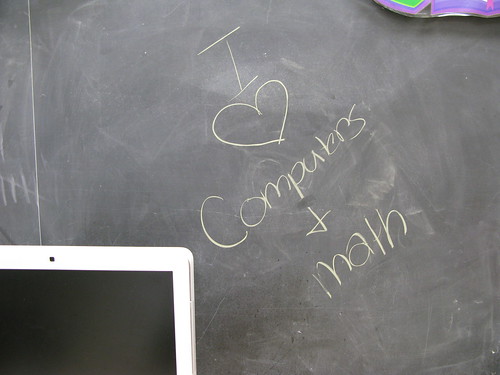 One of my favorite things to see in my room is a student pick up a piece of chalk and leave a message like the image to the right behind.
My students and I worked very hard on many projects. Some were oldies but goodies that I do from year to year. Others were new and never tried before at my school. I'm getting ready to do a meme on professional development planned for the summer. Before I do, I wanted to reflect on this past year.
Math Class
I managed to get further in the chapters than last year. That's always a good thing. I had more students grasp the concept of multiplying and dividing fractions and mixed numbers, too.
This year, I pushed to do a few new bits on the technology integration side. I used David Warlick's fine Classblogmeister product to create a place of reflection for the students. We managed to use the site to contain research for decimal division and rounding.
- On the upside: Most of the students managed to make the posts from home or during recess in the computer lab.
- On the downside: We became involved in creating a movie about population density and I didn't assign any more questions for homework. As a result, there haven't been any posts to the blog in 2008.
We used Voicethread to capture images of items the students weighed on a digital scale. I created questions and had the students answer them as comments.
- On the upside: The project became a joint project with Shaun in New Brunswick, Canada. We ended up commenting on his student's Mental Math Voicethread and they commented on ours. We had a Skype call between the two classes, too. It was a first for my students and I.
- On the downside: A couple of students didn't get to weighing and photographing items. We had school canceled today due to heat when we were supposed to have a second Skype call. We end classes on Thursday and the other school is on a field day tomorrow, so it may not work out.
We created a movie using the iSight cameras built into our iMacs. The students needed more clarification on what population density was, why some numbers were so low, and why some numbers were so high. They made music in Garageband and voted via SurveyMonkey for the intro song and the closing credits song.
- On the upside: It became a nice computer class project. I'd estimate that it took about six 42-minute periods to create. It will be something they can look back on.
- On the downside: I'm not sure that all the students "get" population density, yet. Not all students returned permission slips, so I had to edit in some images and text to the presentation to replace the missing students. I made sure to save the movies as .mov files and my SMS Computer Podcasts page on Podomatic insists on changing them to .mp4. Right now I'm uploading to Teachertube to see what happens. I might end up uploading to Youtube as well.
For the second year in a row, I had the students create metric music songs to demonstrate what they knew about length, mass, and capacity in metric measures.
- On the upside: It is a great project around Christmas to keep the students focused on math. The quality was better than last year because I gave better directions. We had the blog to store all the songs.
- On the downside: It was better than last year, but there are still some knowledge gaps in metric measurement concepts.
I created some study casts with audio and a matching video set with slides at the beginning of the year to help students review for tests and quizzes.
- On the upside: I did it and a student or two looked at them.
- On the downside: I was not able to get all the students to see them. One father told his daughter it was because the files were .mp4 and not .mov or .mp3. I never took the time to fully figure it out. I would try again, though.
Computer Class
There is a world of reflection that I will do later in the week about computer class. With grades Kindergarten to eight to reflect on, I'll save it for a different post. I do love computers and math, myself!
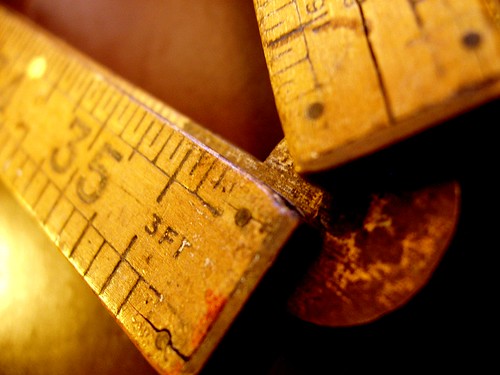 My sixth grade students have been working on their ruler skills since September. This week's lesson included converting customary measures (inches to feet, yards, miles and back; fluid ounces to cups, pints, quarts, gallons and back; ounces to pounds and tons).
Yesterday, I went around the room and measured twelve items to the nearest sixteenth of an inch.
Today I gave them about fifteen minutes to work alone or in groups to try to identify the items.
It was a hard task, but it had them talking about those little marks on the ruler and how they could determine if it was an eighth or a quarter inch.
I believe almost everyone can finally use a ruler. This is a huge improvement over my experience at a local Home Depot. I asked for a window shade to be cut to 36 3/8 of an inch. I finally had to show the employee where it was on the ruler. *sigh*
Image Citation:
"Ruler." Auntie P's photostream. 2005 Feb 5. 2008 Apr 23.
http://farm1.static.flickr.com/3/4310240_847f062ad5.jpg?v=0
 I was on Twitter one night this past month and saw a message from a Canadian teacher, fletch3836, talking about how he had his students measuring items in sixth grade to reinforce the concept of perimeter. He was wondering if it would help the concept stick. I replied back that I had done that in the past and had recently had my sixth graders weighing items in the metric system on a scale to give them a real feel for the actual weight on the scale and its weight (grams/ kilograms).
I pointed him to our class blog to see the Voicethread they had created. As each group of students went to the scale, they had digital photos that they were required to take in addition to recording the weights on a form. I do not have a very active blog in the class. I use it to set up small reflective projects. We spent a good bit of time in February creating an iMovie on population density that will make its way to the blog soon.
After they took the photos, I put them into Voicethread and typed in some questions. The question were intended to relate the images with other items. In some cases, they had to guess what weighed more. In other cases, they had to convert kilos to grams or grams to kilos.
The Project Start
As we spoke, I learned that this teacher was interested in trying to do something with his students in Voicethread and wanted to know if we'd like to join his project. I was all for it.
He created a set of slides in which the students were required to use different mental math strategies. Before the students were set to work together, asynchronously, he suggested that we have the students "meet" via Skype. I had mentioned the need to get the two classes together for the class call to my principal. I asked the English teacher to help by bringing the other half of the sixth grade down at the appointed time.
With a tiny bit of schedule juggling, I was able to bring my two sections of math down to the computer lab and he was able to bring all his students together, too. The call was only about ten minutes, but my sixth graders were so excited and wanted to know when we could do it again. The principal and English teacher were both in the room for the phone call and seemed very happy to be part of the exchange.
The Project Today
Yesterday, all of the students in Canada had left their comments. There were twelve slides in all. I had each of the two sections of math students break into groups of two or three students to a slide.
My expectations for the students were to:
1) Listen to the entire set of comments
2) Decide if you would have solved the problems the same way or differently
3) Decide if you agree or disagree with the answer
4) If you agree, leave them a comment commending them on their work
5) If you solve the problem differently or arrive at a different answer, don't tell the student that they are wrong. They were to phrase it as "You solved the problem in a different way than we would have. This is what we did. This is our answer".
On the whole, each pair or students spent a good ten to fifteen minutes looking at the problem and talking about the differences or similarities in their work and the comments already on the Voicethread.
Why International Collaboration?
I liked the engagement. I liked the focus on where they saw differences in how they would have performed a task. I think there is a lot of benefit in having students share their knowledge and evaluate others work. It could be done within a school building, no doubt. So why make it an international project?
First, when the students grow up they will work for multinational companies in all likelihood. They will have to make calls outside the United States and deal with different cultures.
Second, there is the factor that these are not their usual school buddies. Some of my students have been together eight years (including Pre-K3, Pre-K4, and Kindergarten). They can operate more like siblings than school mates at times.
Third, they worked on this material earlier in the year. It was a good quick review accomplished in a different way. They could see if there were differences, culturally, in how the problems were approached.
Fourth, they heard solutions that they would not have used themselves that still worked.
I'll have to see if we can work in some more collaboration with these students. Mine are asking if we can do another project already. Right now, we have to finish up the video on population density and then we can roll up our sleeves and get down to some more collaboration.
Why do you think international collaboration makes sense?


