Showing posts with label research. Show all posts

Monday, December 7, 2009

Third Grade Presentation Skills

Last year I created some new lessons for third grade. I want to practice research skills earlier in the K-8 computer curriculum. I used birds and penguins as the starting point. This year, I'm going to continue to develop the bird project. A big thanks again to Amber Coggin at the Winter Wonderland wiki for the glyph!

2009-2010 Pre-Work
This year, I started the project with a short word processing exercise. I started a document titled Birds and saved it in each student directory on the file server. This ensures the location of the document when students go to retrieve it in the future.

We reviewed basic word processing rules: one space between words, no space typed before the period or comma, one space after the period or comma, and press return only at the end of the paragraph.

The students were to type five facts they know about birds in a paragraph. Initially, I wanted to review their word processing skills.

Use of the Penguin Glyph
Today, we used the same penguin glyph that I used with last year's third grade. I was dissatisfied with simply having the third grade students create the glyph last year. It was the first time I had used PowerPoint below fourth grade, though, so I used the penguin glyph and moved on.

This year, I have more of a plan in place. Today, I introduced the concept of copying and pasting words. It follows a Kid Pix lesson from earlier in the year in which we copy and paste a portion of an image using Kid Pix. I demonstrated opening the Bird document in Word. I highlighted the five sentences and chose Edit - Copy. I demonstrated closing Word and opening the penguin glyph. Next I pointed out the penguin slide and the notes section below the slide. I used Edit - Paste to paste the five sentences copied from the document into the notes section.

We used the glyph legend to tell about our knowledge of reading penguin books and seeing live penguins, our preference for seafood and weather, and the gender of the person creating the glyph.

Finally, I asked the students to tell a little about their glyph choices in the notes section. If they read a penguin book or saw a live penguin, they were to tell more about it. Otherwise, they were to write that they hadn't seen a live penguin or hadn't read a book about penguins. They wrote about the type of seafood they enjoy or that they did not enjoy seafood. The wrote about their gender and weather preference.

I explained to the students that next week they would come up to the front of the class and read their notes from a printout while showing us their slide.

Follow Up in the Coming Weeks
I will again have the students use the Activotes to tell what they know about our state bird and compare the state bird with the penguin. We will add the drawing of the Eastern Goldfinch from Kid Pix to a PowerPoint slide and type facts in the notes section. We will again use Kidspiration to compare the state bird and penguin, but this year we will include the chart in PowerPoint and add notes.

By the end of this project, they will have created their own images, completed some research, and created and presented using PowerPoint.

Claire's Penguin Notes (From the Image Above)
I know that birds can be small. Birds have wings and can fly. They can have colorful wings and can be beautiful. Some of them eat worms. Birds can be cute.My penguin has a round head because I read a book about penguins in first grade. My penguin has a blue eye because I have seen a live penguin. My penguin has a yellow beak because I like cold weather. My has a body has a heart on its body because I like to eat crab My penguin has yellow feet because I am a girl.

I'm looking forward to developing this idea even further.

Wednesday, June 17, 2009

A Flock of Researchers

In the 2008-2009 school year, I participated in a Winter Wonderland project. Three teachers put together a really nice wiki. It ran for three months. I completed the January winter song project with my third grade and was about to continue on to the February penguin project when I became interested in working on bird research with the students.

Taking It Global
I am working on a Google document. I have started outlining what I accomplished with my third grade students. I am adding things I would like to include in the project next year. I want to add a collaborative component. I am hoping to find other teachers to join the document and consider having their students work with mine and others around the globe as a Flock of Researchers.

I'm borrowing heavily from the layout of the Monster Project, Middle School 1001 Flat Tales, and Winter Wonderland wikis. I will begin outlining some major components over the next couple of weeks. It is my intention to start the project around December and have students contribute through May. Work could be done as teachers have time available with their students.

General Outline
I am including a link to the Google doc here. If you are interested in brainstorming more about this project idea, please let me know [AnnNJTechTeacher {at} gmail {dot} com] and I will send you an invitation to edit the document and/ or the wiki I'm developing. Please tell me where you heard about the project, too.

The younger the students are when we introduce the concept of copyright and citations, the more likely it will be on their mind as they grow older and work on reports. I think the tie-in to image citations is a nice first step.


Image Citation:
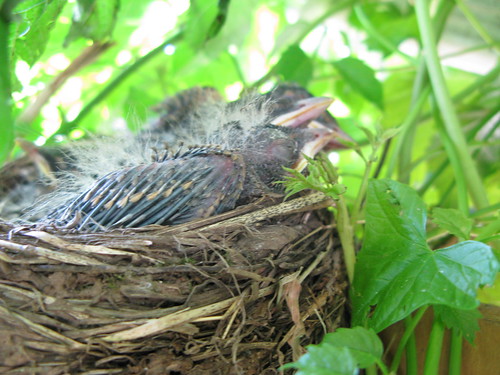
Oro, Ann. Baby Robins in Nest 5. 2009 June 17. 2009 June 3.
http://www.flickr.com/photos/njtechteacher/3593708408/

Sunday, February 22, 2009

Saying "Thank You" for Images

I am helping my fourth grade students improve their research skills by taking a simple topic and asking them to find seven facts about birds. Of those seven facts, they are to choose the thing they think is most important.

What To Do Next
We had just finished using PowerPoint for the first time to create a math shapes presentation. I decided to have them place the information they gathered in PowerPoint. Part of my goal with all students is to have them focus on telling their story with images and using the n
otes section for all their text.

Getting Started

The students wrote their seven facts on a sheet of paper and put a star next to the most important fact. On the server, I placed a template for each student in their own folder. Once the research was complete, each student typed the word Birds in the title of slide one. They typed their name, class (4A/ 4B), and February 2009 for the subtitle.

On slide two they typed "The important thing about birds is ..." and they filled in what they thought was most important. On slide three through eight, they added a sentence such as "Birds have feathers" or "Birds have wings".


This took most students a whole 42 minutes of work.

Citations or Saying "Thank You"
In the next class period, I demonstrated how to use Pics4Learning.com to locate bird p
hotos. I explained that any time you create something, you deserve to have someone say "thank you" for using your work.

In school work, this is called a bibliography. I pointed out how Pics4Learning makes this very simple by including the proper way to say thank you at the bottom of the image.

The Hard Part
Surprisingly, the hard part was helping the students resize their images. Pics4Learning images slid onto the PowerPoint slide as very large images. This is great because students often use the little thumb nail size photos. I went around the room and individually showed the students how to change the viewing size of the slide so they could see the whole image and resize so it fit on the slide.

This will take us two if not three full classes. I'm looking forward to seeing the final presentations.

The Fun Surprise for Me
When I was looking at one of my fourth grade student's pages, her citation pointed to Andrea Hernandez in FL. Who would have guessed, I actually knew the photographer. A neat bonus for me!


Image Citation:
Hernandez, Andrea. p1010121.jpg. summer 2008. Pics4Learning. 22 Feb 2009

Friday, February 13, 2009

"The Important Book" and Research

I was reading Brian Crosby's blog, Learning is Messy, the other day and came across an idea that sparked a project in my computer lab. He was using a book by Margaret Wise Brown called The Important Book. She is a favorite author of mine since my now eighth grader was a few months old. We went through two board book editions of Good Night Moon within a couple of years.

My Research Focus
I was just writing about my intended focus on helping students with their research skills. I am looking for more ways to help students understand how to read to find information. Brian outlined how the book helped him to help his students take some first steps in their process by following the pattern used in The Important Book. You should read his post. I li
ked the idea so much, I ran out to Barnes and Noble last weekend to purchase a copy.

When I get a new idea, I'll often introduce it to several grades at the same time. In the following years, I try to keep coming back to the same general idea with a different focus. I am going to use The Important Book and the following lesson in the fourth, fifth, and perhaps sixth grade this year.

My Introduction to the Students
I started with the fourth and fifth grade this week. I scanned three pages from the book and placed them in my Activstudio software. My document camera is not working, or I would have used that instead. It could just have easily been imported into PowerPoint.

The first screen was just an image of spoons. I read the description to the class. We talked about the pattern in the wording. It tells the important fact about the spoon, several supporting facts, and repeats the important fact.


I brought the next screen up at 10% of actual size and told the class the next description was about daisies. I asked them to predict what the important fact would be. I changed the screen to show the page at 100% and then read the description. Next, we counted up the number of facts she listed.

I wanted the students to realize that they had equally good ideas about what the important thing was about daisies. I also wanted them to realize that they could have written an entirely different entry with just the ideas they generated as a group.

I finished up by reading one more entry about grass.

Next Steps
I had the fifth grade students focus on amphibians and the fourth grade studen
ts focus on birds. There isn't a particular reason that I chose those categories. Generally, I felt I wanted the younger students to have a very easy topic. I want to give them practice with reading a web page for information.

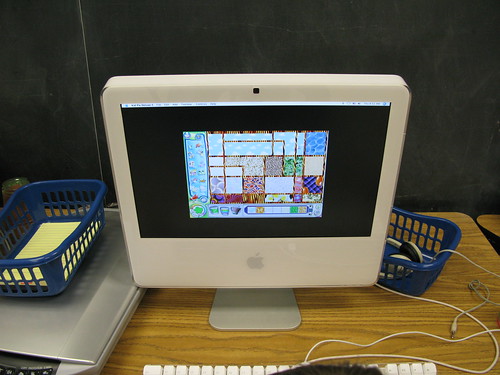
I have baskets with yellow pads and pencils next to the computers this year. I wanted the students to use the pad to list those the facts as they found them. I didn't want them to worry about switching between Word and the Internet. They could have, but I wanted their focus on the facts, not the technology.

I bookmarked a Yahoo Kids page about birds and amphibians. The students access those links from our school delicious account.

I did a quick survey of the room. Most students had not heard of or used Yahoo Kids. I believe every student had used Google. I took a few minutes to explain that Yahoo Kids was written in a way that students in the third through sixth grade could more easily understand. One student said they use Yahoo.com. I asked if they typed www.yahoo.com and they said yes. I told them to just type kids instead of www and they would be able to get to the website at home very easily.

Off to the Computer
They had very little time to work on the computer independently. They quickly got onto Firefox, accessed their class link though delicious, and started finding facts. I explained to them that they just needed to find seven facts. After they found those facts, they should put a star next to the fact that they thought was most important.

Class Two
The next part of the project was to continue today with more research. Unfortunately, the Internet was down all day. With any luck, it will be back on Tuesday.

My plan is to have the fifth grade type the information into Word and find an image to support the words. I want to start showing them how to use Pics4Learning to find images that are free to use for school work. They have an extensive set of amphibian images. Their classroom teacher had asked me to review placing and moving images in Word, so I have a dual purpose.

The fourth grade has just finished their first PowerPoint presentation. In our first lesson, we learn to use the drawing tools to draw a page of rectangles, circles, triangles, a test of all shapes, and a face they make with the shape parts. The lesson is intended to get them over potential stage fright. They enjoy learning how to create drawn objects, change their color, and play with the fill tool.

I will have the fourth grade students use PowerPoint. They will have one slide for each fact. They will choose one image for each slide. They will write their sentence in the notes section. This will become the basis for all PowerPoint presentations. I want their notes to become the bedrock of their presentation with the images as support for their words in all grades through the eighth grade.

Further Research
Once we complete these preliminary steps, I will want to have the fifth grade students do another research project. In the next project, I will expect them to build on the idea of gather seven facts to creating a more substantial and less formulaic paragraph in Word.

Thanks for the idea Brian!


Image Citation:
Levers, Andreas. "Spoons." 96dpi's photostream. 13 Feb 2009. 12 Mar 2008.
http://farm3.static.flickr.com/2001/2328898956_928652bc31.jpg?v=0

Mac with baskets - my image.

Sunday, February 1, 2009

Winter Wonderland and Third Grade Research

Back in December, Kevin Jarrett over at Welcome to NCS-Tech! wrote a post about research skills called On searching, web literacy, and the ubiquitous "animal report". I've been giving that topic thought since becoming a teacher seven years ago.

Personal Experience
My two sons are no better and no worse than the average student at our school in their research skills. We've given them a lot of attention at home to try and help them learn what they do not seem to understand from thei
r classroom lessons. In the computer class, we have completed mini projects and learned various search skills. I have come to the same conclusion as Kevin, online search skills really must be follow book based skills. I hope I paraphrased you correctly, Kevin.

Winter Wonderland January Project
I have had some trouble getting the January Winter Wonderland project off the ground in Kindergarten and first grade. I wasn't able to find a project I wanted to use
with Kindergarten and the first grade is working on Dance Mat Typing. I've really been working hard with the third grade, although it wouldn't be apparent from my student's wiki page.

The Penguin Glyph
I really liked the Penguin Glyph project. Amber Coggin put the files together. They are under the January heading on the activities page. We start using PowerPoint in the fourth grade. For the third grade, this glyph is a gr
eat introduction to the PowerPoint screen and the idea of glyphs in general. Her PDF file explains what the various colors represent (such as orange feet would mean a boy created the penguin).

I wanted to do more and I thought this would work well as a research project as a group activity over several classes. The big question was: How?

The Big Six

I did some research on teaching basic skills and came up with several Big Six resources. I found that for younger students they call it the Super Three. One of the most obvious points is to come up with a focused question to ask the students. I decided something simple would be to ask: How is a penguin different and similar to our state bird. We've been picking at the question a little every week.

First Focus: The Eastern Goldfinch
Our state bird is the Eastern Goldfinch. I found a n
ice printable sheet on the American Goldfinch on the Little Explorer's website. Before giving the student's the sheet, I asked some questions using the Promethean Activotes.


Without prior discussion: 1 child clicked A) Emperor Penguin, 6 children clicked B) Eastern Goldfinch, and 3 children clicked E) American Robin.


Two children chose B) Hair and eight children chose F) Tails.


Three children chose A) Seeds and seven children chose B) Nectar. We had an interesting discussion about what type of birds eat nectar and what type of beak shape they require.


One student chose A) in pine trees, two students chose B) in weedy grasslands, 1 child chose C) in a building, 4 students chose D) at the edge of a pond, and one student clicked E by mistake.


This question also prompted some interesting size discussions as one child chose A) four inches, one child chose B) twelve inches, 2 children chose C) four feet, and six children selected D) one-half inch.

Drawing in Kid Pix
Armed with these images and the discussion, I gave the students a printout from Enchanted Learning. It has a black and white outline of the American Goldfinch. I asked the students to do their best job to sketch the bird in Kid Pix. I projected some photographs on the screen from Flickr so the students could try to match the bird's coloring. The student's images are really turning out quite well.

Next Steps
In an upcoming post, I will talk about how we practiced reading for information while integrating the Activotes. We will also be using the Activotes to look at scanned images from a book about penguins and read to find information.

These are some good first steps to leading my students to find information in print in the third grade. Your thoughts and insights are welcome to help me extend the lesson.