Thursday, February 14, 2008

Meme: Passion Quilt


Caption: My Class Can Touch the World

I was tagged by Derrall Garrison for Miguel Guhlin's Passion Quilt. In this meme, I'm supposed to find an image that encapsulates what I'm passionate about and also what captures what I want my students to learn.

This image of a hand holding the globe up to the sky sums up my latest passion: using the Internet to connect my students with others around the globe. When I was in grammar school, I loved having pen pals in Sweden, South Africa, Illinois, and Missouri. It helped me see children who were in many ways the same as I was, but in other ways having very different experiences.

Thanks to the collaborative efforts of many teachers around the globe this is rather easy. I see some of the same excitement in connecting with other children that I had. I'm passionate about connecting with teachers who are looking to make this the best experience possible.

3 Simple Meme Rules:

  • Post a picture from a source like FlickrCC or Flickr Creative Commons or make/take your own that captures what YOU are most passionate about for kids to learn about...and give your picture a short title.
  • Title your blog post "Meme: Passion Quilt" and link back to this blog entry.
  • Include links to 5 folks in your professional learning network or whom you follow on Twitter/Pownce.
The five people I'm tagging are:
Sean Sharp
Martha Thornburg
Janetta Garton
Kitty Forbus
Liana Honda


Image Citation:
"touch the world." wilmack's photostream. 2006 Dec 11. 2008 Feb 15.
http://farm1.static.flickr.com/117/316224064_19b959eb3f.jpg?v=0

Tuesday, February 12, 2008

Part III - Online PD for New Teachers


The next topic that I considered very important for new teachers after seeing SurveyMonkey, a little delicious, and wikis was online professional development. Since I only had one two and a half hour session per group of teachers to introduce technology in education, I thought it prudent to share the possibilities of free online professional development.

In this section of the class, I chose the K12 Online Conference for its variety of topics, the Educon 2.0 session to show how this training is happening in an ongoing way, and the Classroom 2.0 ning.

I explained to the teachers that when I was in the alternate route program last year, I saw the K12 Online Conference in March. I thought I was too late and was determined to “attend” next year. I don’t know why it didn’t strike me that all the content was archived.

I had them go from the delicious account to the personal_learning category of tags and select the K12 Online Conference 2007 link. From the main page, we went to the Schedule.

In the wiki section of class, one task had the teachers generate a list of ideas for using a cell phone in class. It seems like such an unlikely piece of technology. From the schedule, I had them click on the link for Liz Kolb’s “Cell Phones as Classroom Learning Tools”. They read through the description. I told them that before listening to Liz’s session, I couldn’t imagine why I would use a cell phone in class. This session from the K12 Online Conference showed me possibilities. I still may not use a cell phone in class, but there are clear uses for it as a tool.

I also pointed out Silvia Tolisano's "Travel Through Space and Time" and Brian Crosby's "Obstacles to Opportunities" as interesting presentations. Listening to Silvia discuss how her students have been following a teacher's world travels and Brian discuss how a house bound student attended class just opened my mind to how different the world can be from the world I grew up in.

At this point, I gave them five minutes to poke around the web site and read descriptions. A couple of teachers started up audio files from different sessions. One teacher noticed the references to Twitter during the Thursday class. I provided him with a little demo at the end of the night.

From there, I spoke about Educon 2.0. I gave the teachers a little background on the idea of teachers around the country and Canada converging on Chris Lehman’s Science Leadership Academy to have open discussions about education and technology. I explained that I would have liked to have gone to the conference. Philadelphia is a reasonable drive from my home. It happened to be the start of Catholic Schools Week, which includes the staff attending Mass and an open house. I was able to virtually attend a few sessions.

I wanted them to know that there is a fair amount of this type of training going on. We went to the Educon 2.0 wiki and I demonstrated how to get to the agenda. From the agenda, I clicked on Educon Channel One. I pointed out the UStream TV window and the chat window to the right of the TV. If a person has never attended this type of event, it’s good to know a little about how it works.

In these types of training sessions, I enjoy being able to interact with the presenter(s) and virtual attendees. I was not able to follow entire sessions during Educon 2.0 due to the flow of the open house but I can now go back at any time to listen to the presentations.

Finally, we delved into the Classroom 2.0 ning via the delicious links. I explained that the ning is a social network for teachers. The feature that I concentrated on was the forums. I believe that the ning is one way to connect with other teachers in a fairly convenient way. I walked the teachers through a forum entry and showed how a teacher can post a question and receive a fair amount of feedback in a short amount of time.

Again, I gave the teachers five minutes to poke around the forums to see what types of questions were asked and the type of answers they received.

The ning is one way I have become involved in online collaborative projects with other teachers.

This talk led nicely into my next commercial break. I chose to share Darren Draper’s video “Pay Attention”. Overall, it spoke to most of what I was trying to show the teachers. I like the way the video connected what we saw so far to the final section of the presentation: blogs, rss feeds, Voicethreads, and other “new tools”.

Sunday, February 10, 2008

Part II - Introducing Wikis to New Teachers

After the first part of the training, I moved on to wikis. From the delicious account, we clicked on the set of links titled mrsoro and chose the Training Space for Teachers link. It was my intent to create a set of links that the students could return to over and over again both on delicious and within the wiki.

I had originally intended this to be a really collaborative workshop, but two and one half hours is just too short to introduce the many varied resources to novices and include a Think-Pair-Share and Jigsaw activity. I was also going to start with a video, but decided that I needed to get to know the audience first. I had them go directly to the link on the left side of the screen titled Standard Tools.

Last year, I learned about a process of student collaboration called Carousel Brainstorming. I wanted to use that process electronically. The way that I approached it electronically is that I split the teachers into groups of two or three people (depending on the teachers seating arrangements in the room). I assigned the groups to one of the eleven categories. The categories were: word processing, Smartboard/ overhead computer projector, Internet browser, digital camera, presentation software, drawing/ painting software, iPod/ MP3 player, cell phone, spreadsheet, publishing software and multimedia software. I told the teachers that within their group they would choose one editor and the remaining group members would help that person with brainstorming. I gave them about three minutes to come up with as many ideas as they could to use the particular tool either in the classroom with students or as a teacher.

After the time was up, I asked the teachers to click the save button. I then pointed out that they just learned how to use a wiki. There are many more things to learn, but they just performed the first basic step of editing a wiki.

I then assigned the teachers to the next category. So those who edited number one moved on to category two, and so on, until those who edited category eleven moved up to category one.

After three more minutes of work, they saved again. I explained that we could keep going with this process, but we would move on to seeing what ideas were generated. This time, the groups moved on to the next category and chose the one best idea for the topic.

By doing this project, we were able to review the different types of what I would call standard software and hardware in the classroom. We were also able to learn about the wiki.

I explained that rather than having the results on paper that would be thrown away at the end of class and lost, we had a permanent document online. Not only that, but they would be able to see what was generated by the Tuesday, Wednesday, and Thursday classes without being there.

I followed up this exercise with a “commercial break”. I had written about this back in December. We watched Wikis in Plain English from the CommonCraft Show. It ties the general idea of wikis with the work we had just accomplished.

I made sure to tell them about the 100,000 Free Wikispaces for Teachers. I told them that I have been quite amazed by the responsiveness of the team at Wikispaces. They loaded about 160 wiki ids and passwords in about a day. They have also answered emails sent to their help id in about a day. I find them a very helpful company. I also mentioned WetPaint and PBWiki. I do not have much experience with those sites yet.

From the results of their reflections at the end of class, the idea of wikis captured their imagination. It was great to find that Wikispaces was unblocked in the district. There were teachers from other districts so it will be interesting to see how it goes for them.

One of the questions I received from the last post was “how would I know if the training was put into actual use”? I tried to collect email addresses from the teachers for a follow up survey in June. The first night, I had trouble with the wiki editing, so I received no email ids from that group. I ended up with ten people to contact. It won’t be much of a representative sample, but perhaps I’ll ask the director of the program to ask them to complete the survey in one of the last classes in May to have a bigger sample.

One immediate success with the wikis was that a group of three teachers signed up for a Wikispace account before leaving the room. They have to prepare for a mock trial activity for the alternate route class. This group of three teachers is going to use the wiki to collaborate on the paper. Yes, they could use Google Documents or Zoho, but we just didn’t have time to get much of a demonstration of those products during the evening.

In the next blog entry, I will write about the next topic we covered in the evening: online professional development.

Saturday, February 9, 2008

Part I - Training Survey of New Teachers


Back on December 27th I put out a little call for help via the Twitter network. With the help of several extra eyes, I made some updates and put it to use this past week. Among my helpers were Patrick Higgins, Diane Cordell, susane, Chris Prout, Cyndi Danner-Kuhn, @lilhonda, @digitalmaverick, and @susant.

I introduced new teachers to the world of Internet collaboration. I’m going to post this over two or three blog entries as I have time over the next several days. It will stand as a reminder to myself when I present next year. It’s also another look at how to introduce the wide range of tools to new teachers.

Overall, I was very happy with the presentation. It was a 1:1 situation. I used a combination of show-and-tell, video “commercials”, and hands-on exploration. My intent was to engage the teachers after they had already endured a full day in their own classroom.

The alternate route program assists teachers in New Jersey get their state teacher certificate. I teach in a private school, so the certificate is not required. It took a very long time for me to complete the process. I had to get myself down to the county education office to fill out the paperwork, sign up for various tests, and then wait while the state department’s new computer chugged my paperwork through the system. After six years of teaching, I’m a fully certified K-5 classroom teacher and middle school math teacher – not just a provisionally certified teacher.

Last year I completed the class portion of the alternate route program. I had already passed the Praxis tests for both licenses. The class met once per week from September through June plus one Saturday per month. The program I attended was well worth my time. It reinforced a lot of learning I did on my own. There really isn’t a new teacher program at my school. I was lucky to have my former sixth grade teacher in this school who really mentored me and showed me the ropes. The alternate route program tied all the pieces together.

One of the classes was a technology class. It is just one evening in the myriad of sessions over the nine-month period. I was looking to learn all sorts of new ideas. In reality, it was not what I was looking for. I was asked to take over that class last summer and I really threw my heart into it.

All the learning I accomplished via the Internet over the last year has come into play. I had two and one half hours to give the teachers a window into what is possible. I called it Integrating Technology in Education. I knew that I couldn’t really “teach” much so instead I aimed to excite them with possibilities.

I also took the advice of Patrick Higgins and Diane Cordell. They said to “steer clear of showing them things they already to with technology added”, “draw parallels to real life situations”, and “make life easier, don’t just add another requirement to their lives”.

I think I managed to keep those thoughts in mind.

I started the class with a bit of hands on work. I told them my goal was three-fold. 1) To help them share what they already do 2) to help them find free professional development and 3) to show them some amazing work being done in classrooms today.

We started the journey via a set of delicious bookmarks I created for the session. I only gave them one sheet of paper (double sided) and told them as long as they could get to del.icio.us/ertc from a computer, they would be able to access everything we did that night.

From the delicious bookmark, we clicked on the survey set of tags and went to the link Teacher Survey for Start of Class. I spoke about how useful delicious is in carrying your bookmarks from one computer to the next. I discussed the fact that I use a delicious account for my students so I don’t have to keep bookmarking favorites. I also tried to get across the notion that I can share the links of other people who share my interests.

The survey was useful on several levels. First, it got them working on the computers right away. Second, it gave stragglers a chance to catch up and not interrupt the flow of class. Third, it showed one method of using the Internet with their students. Feel free to click on the link and take the survey if you want to try it out.

I have used SurveyMonkey with my fifth through eighth grade in a variety of situations. I showed the teachers how you can see the results as surveys are completed. We talked about the fact that the data could be used any class from the lowest grades up to high school.

In Tuesday’s class, one gentleman spoke about his work at a university in his “former life”. They used SurveyMonkey (paid for account) extensively. He mentioned that while the results are basic, they could be exported into Excel and even brought into SAS to really work the data.

We reviewed what the class already knew, as a whole. It also gave me a great heads up on the breakdown of grade levels for my group instruction.

Here are the survey results.

In my next post, I’ll discuss how we moved on to wikis.


Image Citation:
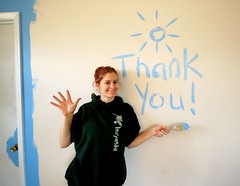
"Thank you everyone!" J. Star's photostream. 3 March 2007. 9 February 2008.
http://farm1.static.flickr.com/172/409405305_bc2b90cb10_m.jpg

Friday, February 1, 2008

Scratch - Take Two

My second go-round with Scratch is wrapping up. I've been working on this project with the fifth graders. I wanted to get them going on Scratch, but knew I had to aim for a simpler project than the one I did with the seventh and eighth graders. They do not have experience with Logo.

Before Christmas break, I spent one class getting the students to test the drawing tools. They just messed around with painting on the stage. I also showed them how to bring in the pre-drawn sprites. We did a little very simple programming. They used the control "When right arrow is pressed" along with the motion "move 10 steps" and "When left arrow is pressed" "move -10 steps". We talked a little about thermometers and how to use the negative or minus sign to move backwards. For a little extra fun, we also added the sound command to "play sound pop". The recorded their own noises and imported some pre-recorded sounds.

On return from Christmas, I walked them through a couple of "dress-up" samples I found in Scratch over the holidays. I gave them a choice of making a house with parts to decorate it (shrubs, doors, windows, etc) or a face (eyes, nose, mouth, etc). Some of the fifth graders chose aliens and castles, but those were the two major ideas for stages. It took one 42 minute period to get this accomplished. Some students are still finishing up the stage.

The next class, I showed them how to create their own sprite. They took the next 42 minute period to create the doors, windows, and whatever else they wanted to use to decorate the stage.

Class three took us to a discussion of the need to clean the stage after dressing it up. We talked about how I could "broadcast" hello to an individual in the group. They would receive the command and then "say" something back. That accomplished, I demonstrated a button with the "when sprite clicked" "broadcast" command combo. As a group, I had the students bring in the button sprite, shrink it, and type the word clean on it. We added the script to broadcast "clean" when it was clicked. We also added a "when I receive" control and a move command. I demonstrated how the x,y coordinates changed as I moved the mouse. I also showed them that if you click on the sprite it locks in its coordinates in the move command. We also saw how to compare what is in the move command with the coordinates of the sprite for troubleshooting purposes.

We took all of class four to finish up stages, sprites, and scripts. Some children finished before the class period was over, so I started to individually show them how to add a "when sprite clicked" control with a "play sound" command.

In class five, all the children saw as a group how to add those click controls and sound commands. It was like they never saw it before Christmas, which is fine. Again, some children finished early, so I had those who made faces start a house and visa versa.

Class six was intended to be the class to sum it all up. We created a second background for the stage with instructions on how the program works. We added a "when green flag is clicked" control with a "switch to background instructions" and a "when stage clicked" "next background" set of commands. This works well for most of the students. A couple went ahead and had already set up multiple backgrounds for different dresses for their faces so we are working on some more programming.

On the whole, it was a great experience. There are 14 students in each class and it really wasn't overwhelming with a 1:14 ratio of "Mrs. Oro I need help". We are going to finish up over the next two classes while getting our brainstorming together on our Classroombraids project.

Take a look at the first three projects. 5B_JN needs some scripting work. That file is one of the projects with multiple "dresses". 5B_VM is a house and 5B_CS is an alien. One really neat thing is that they want to share the projects with their Classroombraids partner schools.